WP.COM Live Webinars

To date I have attended various WP.COM how-to webinars, the latest being an excellent session on “The Site Editor vs the Page Editor”. This free event, hosted by a WP.COM Happiness Engineer, was about an hour with slide explanations, live demos and room for attendee questions. Other events in this webinar series include:

  • Site Editing: Custom Headers
  • Compelling Homepages
  • Custom Blog Pages
  • SEO Basics: Effective Keyword Research
  • Fearless Theme Switching.

For recordings of past webinars, check out the replays here. To sign up for future live webinars on these and other topics, get details and sign up here.

WP.COM offers longer term courses on various topics, also free or at nominal cost: See course details here.

WordCamp US is Coming!

I was successful in getting a WordCamp US Ticket on May 15, but these low cost tickets are now sold out. It is uncertain when another tranche of tickets ($50 for General Admission) might be made available – see further explanation here.

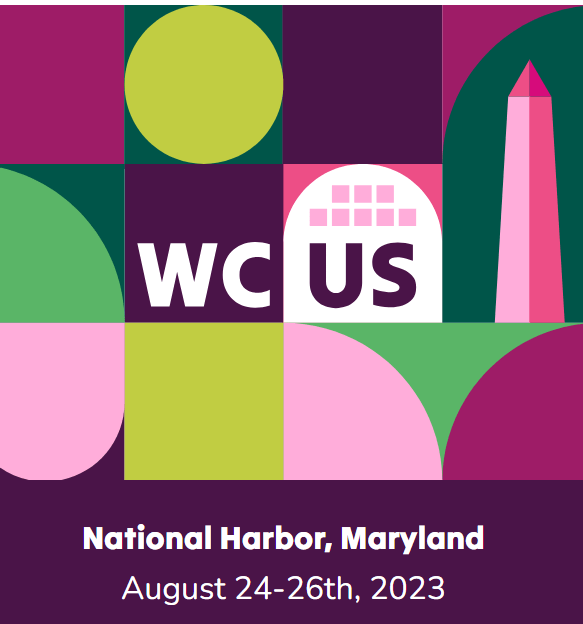
The conference will take place August 24-26, 2023 at Gaylord National Resort & Convention Center at National Harbor, Maryland, and close to Washington D.C. The first two days are the main part of the conference, while the third is an optional “Contributors Day” where volunteers are encouraged to help contribute to development of the WP.ORG open source platform.

While the conference is still at are early planning stage with calls for both speakers and sponsors (including an invitation for Volunteers, which would allow you to obtain a ticket!), I expect that it will be an excellent opportunity to learn more about WordPress, with a variety of sessions covering both developer and design topics, as well as user case studies and options for community feedback and Q&A. WP Co-founder Matt Mullenweg also typically keynotes the event with his annual “State of the Word” with insights about the technical status and future plans for the WP.ORG. Lastly, there should be a “Happiness Bar” or help desk of pros to answer any questions about WordPress, as well as an Exhibitors area with WP add-on service and product vendors.

I attended in person the last, pre-pandemic national conference in St Louis in 2019, and the program was excellent! You might check out the format and sessions for the 2019 WordCamp US to get an idea of the shape of the 2023 event.

Hope to see some of you there! If past national conferences are a guide, there should be an option to view the event live on the Web, and eventually as recorded sessions on WordPressTV.

New Shutterstock Branding Guide

Last April Shutterstock published a free online kit to enable small business to “jump-start” or refresh their branding efforts. Go to The Small Business Branding Kit announcement page, and then download the helpful kit. The download is free as is the required need to set up a Shutterstock account. You can also use the account to scan and save branding brainstorming images to your “catalogue” for later reference (using the images on your site would require a $29/month subscription beyond the free trial period).

Branding Kit chapters include tips on setting your initial goals and expectations, then specific guides on colors, typography and logos. Reference links throughout the Guide point the reader to other related resources, such as Branding Lessons for Solopreneurs. This online pamphlet also includes a variety of templates and printable guides, ranging from moodboards to detailed charts on how best to size your content for different social media platforms.

What’s My Website Style?

To be minimally acceptable a website should have logical navigation, readable text, quality imagery, Web searchability, and be rendered clearly across various devices and browsers. In general, your site should project a modern, professional “look and feel” for your intended audience.

But what kind of style should I choose for my website? How best to combine color, typography and site layout to best represent my business or non-profit mission? Here are a few style types and model WordPress sites on the Web to consider…

1. Niche Mastery

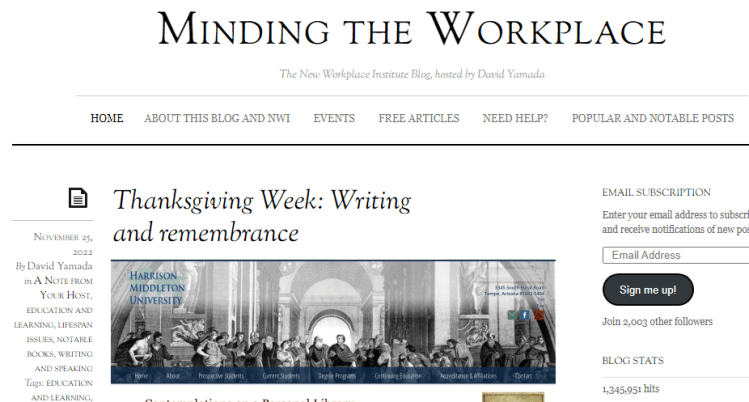
In this type of website the author’s expertise is reinforced by both content and style. Such mastery can be evidenced by fresh and well drafted narrative in the Minding the Workplace blog, or in the array of images linked to the dramatic story of a photographer’s trek around England in The Perimeter. The former is complemented by the author’s extensive academic bio shown in his LinkedIn profile, while that latter’s stunning photos of the English coast are repeated across highly visual social media platforms such as Instagram and Facebook. One easy way to show off mastery in your field or niche is to include a Page on Reference Links on your site, or to publish best practice tips in a categorized blog.

2. Layout Innovation

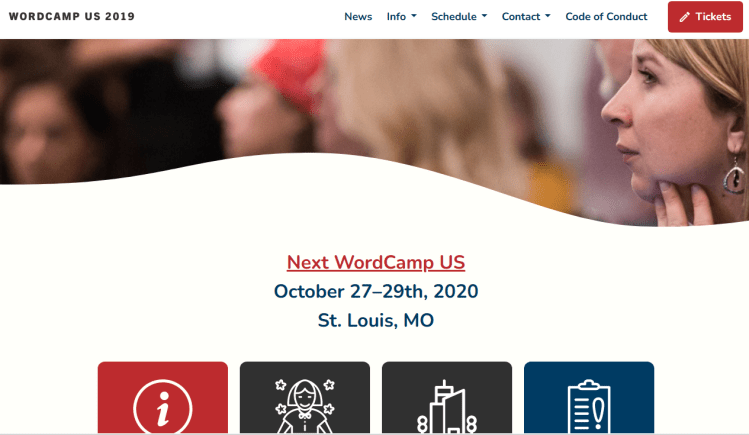
The WordPress.Org site for its 2019 National WordCamp in St. Louis combines basic squares, curves and boxes along with primary colors against a white background into a stylish site for the event. The Mighty Writers non-profit applies red as a signature color for titles and banners, combined with lively featured imagery about its programs helping disadvantaged youth to read and write in the Philadelphia area.

Healthy Schools Campaign in Chicago is another non-profit that uses green as its banner color, various wide-screen images of its activities, and a two column layout; the site also applies a consistent white box with black type to announce key messages on each page.

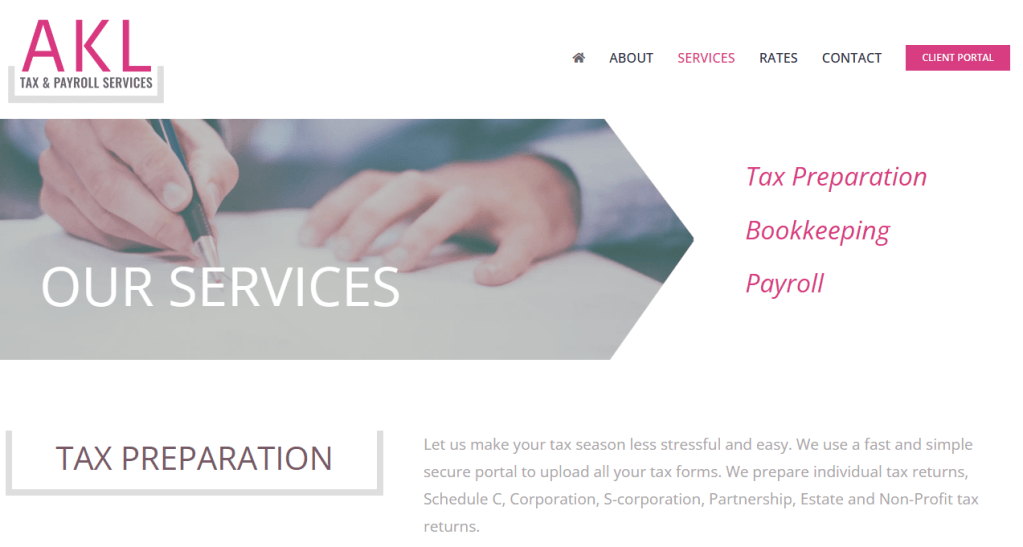
Lastly, and closer to home, a fellow GGCC Chamber member, AKL Tax and Payroll Services, employs red text against light grey, arrow-shaped blocks to convey a “soft-sell” presentation of accounting services — a refreshing contrast from the boring rendition of content by most accounting sites.

3. Personal Projection

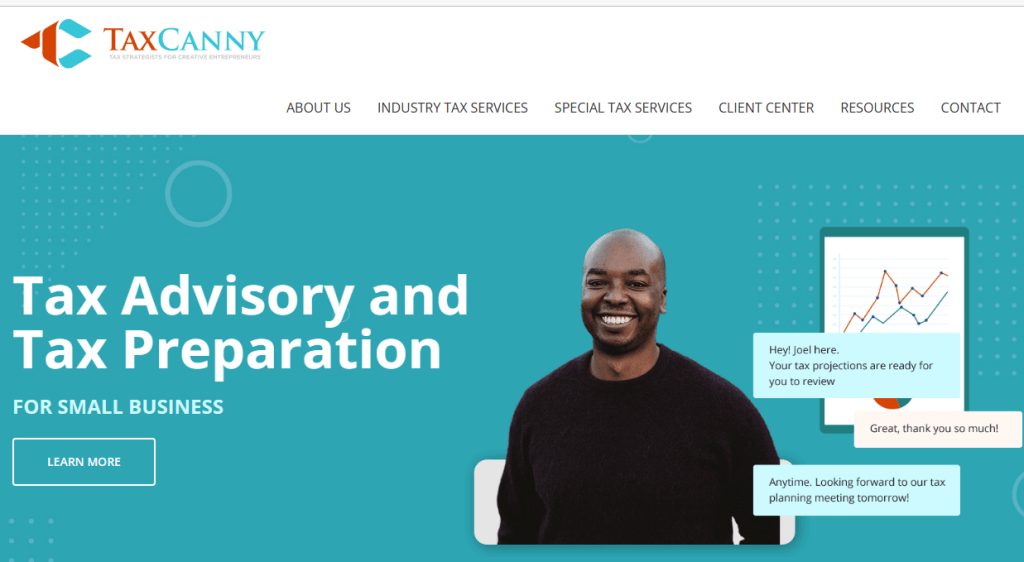
Many websites can look “plain vanilla”, generic, and too overly dependent on stock photos. DC area IT Government Contractors are often guilty in this regard. An easy way for a solopreneur to stand out, project competence and convey approachability is to use a combination of your personal photo (perhaps in various poses) along with specially tailored content and pricing. TaxCanny is one such example with photos of its founder, CPA Joel Lee. Hilary Schwab also personalizes her gardening blog in small cameo photos plus videos in Edible Gardening Girl. Personal photos are also a feature throughout Hilary’s professional photography site.

4. Branding Integration

A powerful way to express your Web presence is to integrate the site’s layout, imagery and logo into one branded message. One way to obtain such integration is to use public domain images from Wikipedia in such areas as history, architecture and the arts. One such example is the demo site for WP.ORG’s Twenty-Twentyone Theme which uses images and soft pastel colors from a 19th century French painter to convey a dream-like look and feel. Another example is the use of domain name and a sailing ship logo (plus archaic-looking Papyrus script) for my own consulting site, dcwebrevolution.com.

Your Style Investment!

Whichever style you choose, it will likely involve an investment in time and money to get the branding “look and feel” right for you, plus checks to optimize your site for Search through such elements as visual hierarchy, keywords and calls to action. Whether assembling ” fresh” a site design as part of a startup venture, or as a branding redesign for an existing organization, such online branding will likely pay rich dividends. A modern and coherent design can both heighten impact on your Web audience and serve as a more efficient central hub for managing and updating your online presence, not only throughout your website, but across your social media outreach as well.

Chat GBT 101

On 4/20/23 I attended a fascinating webinar on Chat GBT as presented by Luigi Iacobellis, tech enthusiast, training professional, and YouTube content creator, and hosted by Meetup Live (see program description).

What is Chat GBT?: It is a free artificial intelligence app to provide replies to natural language queries, based on both text or number inputs. Launched in November 2022, the software is currently the most powerful such consumer AI app on the market, and Microsoft has partnered with the founding company OpenAI to integrate Chat GBT into MSFT’s Bing browser and other software. This AI app is bolstered by behind-the-scenes human feedback and the app’s own ability to “learn” through regenerating responses and building on threaded conversations. Key Tip: the more detailed and descriptive your query the better the Chat GBT response.

General utility: ChatGBT is Ideal for brainstorming, summarizing content, and even analyzing Excel numerical data. Uses are for a wide variety of professional queries as well as personal applications such as meal planning!

Limitations:
–Its knowledge base is current only up to September 2021
–At times it can produce innacurrate responses
–Sometimes it generates biased responses.

My own testing: It was very easy to setup and then use Chat GBT. I submitted two queries – one about the significance of the Battle of Cowpens in the American Revolution (I am a “ringer” as a history buff! – see my related Blog Post), and a second about the importance of WordPress (my area of IT business expertise). The software provided generally accurate responses on both topics, as well as to follow-up questions in each Chat thread.

Use cases for DCWebRevolution Clients: Here are some specific situations for small business and non-profit clients where I think Chat GBT might be helpful (with the understanding that its results need to be checked, and complemented with other tools and user brainpower!):

  • To help generate outlines or rough drafts for blog Posts or social media blurbs
  • To assist a presenter in composing a summary webinar description
  • Use as a complementary external platform for webinar presenter or attendees to brainstorm around a given topic
  • To summarize and organize raw organizational data about a small business’s or non-profit’s past year accomplishments, and reformat such information in the form of an Annual Report to investors or a board of directors. Ditto for composing a CEO letter focusing on goals and targets for the coming year.
  • As a research tool for small business or non-profits to check out competing or complementary goods or services in their market space, using Chat GBT as an alternative tool to Google Search. In his Meetup Webinar, Luigi gave a similar example where he asked the app to provide bibliographic summaries and links of top non-fiction books in a given area.

New Branding Links!

DCWebrevolution recently added to its list of Branding, Image and Web Links on its Resources Page on our dcwebrevolution website. Below are a few examples of how your small business or non-profit might use some of these links to “jump start” your branding and web design thinking:

Wikimedia Commons: a collection of over 92 million freely usable media files to which anyone can contribute. Consider this link as a handy source to brainstorm branding ideas.

Shutterstock free small business brand kit: Shutterstock’s recently released (April 2013) Small Business Brand Kit lays out everything you need to launch or grow a small business, including : 1. Insights on Solidifying Your Brand Foundation, 2. Tips for Building a Memorable Brand Identity, and 3. Printables to Help You Stay on Track

Showcase of Websites built by WP.COM’s Web Design Service and using “Seedlet” and other Themes available on WP.COM. It can be helpful to look at other sites across the Web to stimulate your own website design ideas.

WP: Choose the Right “Theme”

“Themes” Govern Layout in WordPress

In WordPress a “Theme” is an app within the software that controls your basic site layout. A Theme provides an overall, consistent “look and feel” to your home page and subsidiary Pages and Posts, and helps guide you on the selection of colors and typography. Themes come in free or paid versions.

Using the WP.COM “Theme” Library
The Theme Library from WordPress.Com

A handy feature of WordPress.Com is a library of hundreds of Themes to choose from in building your site. You can filter your Search by selecting such terms as blog, business, portfolio, etc. For any given Theme you can further click and drill down to obtain Info on functionality and a Demo on how the site might look.

Tips on Selecting a “Theme” for Your Site
  • Search, Filter and Scan information on various Themes in the Library (you can access the Library either on the WordPress.Com site, or within your site Dashboard).
  • Preview how the Theme might look on your site Dashboard as a rough guide. You are looking for a Theme best suited to displaying your content and brand.
  • Check free Themes first to see if they meet your needs, and if not, only then examine Paid Themes.
  • Test out (“Activate” or “Deactivate”) a few Theme options early in your site design, as switching Themes can affect a site’s detailed content and layout.
  • Customize your chosen Theme in various ways by selecting a header image or logo, deciding on a static or blog home page, and applying a variety of blocks and templates in your Pages and Posts.
  • Theme Suggestions… check out Hever or Exford for a website and Libre 2 for a blog.

“Ask Me Anything on WP” – 4/4

Mark your calendars for the next “All Levels: Online Ask Me Anything WordPress!” event by DC area Developer Gen Herres to be held on Tuesday, April 4 at 7:00 – 8:00 PM ET.

Sign up for this event by clicking “Attend” on the Baltimore WordPress Meetup page, and also Register by filling out this form: https://forms.gle/Th6AZUbS2GoiCEJz5. The form also allows you to submit your WP question in advance for the session.

Here is a description of the event by the organizer:

This is a virtual meetup on Zoom for you to ask your WordPress questions and help you fix problems with your website.The answerer for this meetup will be Gen Herres, owner of Anphira Web Design & Development, and a WordPress veteran of nearly a decade. She’s built and remodeled 100s of WordPress sites.

Another great, free online WP help resource – I plan to attend and may see you there!

Google Workspace Tips

I plan to writer occasional articles on Tech Tool Tips related to my consulting, starting with this summary of the benefits of Google Workspace (formerly called G-Suite).

I have found Google Workspace to be a valuable tool to interact with pro bono non-profit clients over the past two years. I mainly use it to share and interact with customer teams on various documents, plus employ the Google Video tool, “Google Meet”, to set meeting agendas and schedule live video calls in the course of a consulting. While I also use Gmail for informal communications, applying Workspace helps avoid cluttered sharing of website design content via email, and instead consolidating text and images into shared documents. At $6 per month for a small business organization, my sense is that this software is well worth the price!

See also this PCMagazine Workspace Review article.

“Quick Start” Site Offer

Let dcwebrevolution jump-start your website journey, whether small business, non-profit, or professional blogger in career transition. I’m extending my special “Quick Start” site offer through March 2023.

Blog or Site setup on WordPress takes only 2-4 weeks, plus advance site planning and initial site support. See Quick Start details for what consulting option is right for you, whether a brand new website, or redesign of an existing site.
Contact me at gary@dcwebrevolution.com if interest. During your free phone appointment I look forward to discussing your website goals, content readiness, and next steps in design and training on your WordPress.com starter site.